
Transform PDFs into Editable Figma Designs
Convert your static PDFs into fully editable Figma components with just a few clicks. Save hours of manual work and focus on what matters most—designing.
Trusted by World-Class Companies
Powerful Features for Designers
Our PDF to Figma converter offers a comprehensive set of features designed to streamline your workflow and save you time.
Pixel-Perfect Conversion
Our advanced algorithm ensures your PDF content is converted with the highest fidelity, maintaining exact layouts, fonts, and visual elements.
Fully Editable Components
Every element in your PDF becomes a fully editable Figma component. Edit text, adjust colors, move elements, and customize to your needs.
Time-Saving Efficiency
What would take hours of manual recreation now takes seconds. Save up to 90% of your design time when working with PDF content.
Layer Organization
All converted elements are automatically organized into logical layers and groups, making your Figma file clean and easy to navigate.
Precision Visuals
Effortlessly transform PDFs into editable Figma designs while ensuring absolute visual accuracy. Codia AI PDF to Figma thoroughly converts each element one by one, carefully preserving the original layout and design elements. This transition from PDF to detailed Figma designs maintains the integrity of the original design effortlessly.
Learn more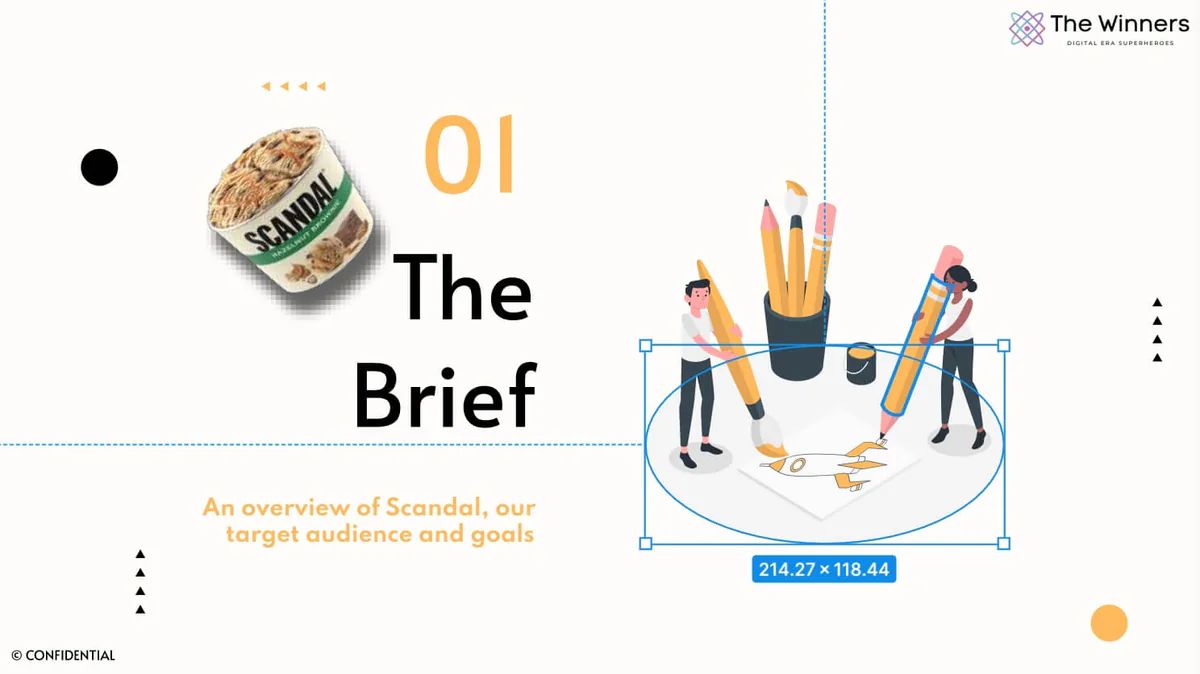
Editable Designs
Experience the ultimate flexibility and control with Codia AI PDF to Figma. Our advanced AI technology precisely deconstructs your PDFs into fully editable layers. This allows for effortless modifications of text, images, and other design elements directly in Figma. Every element is 100% editable, simplifying updates and enabling seamless redesigns of your old PDFs, all within one intuitive platform.
Learn more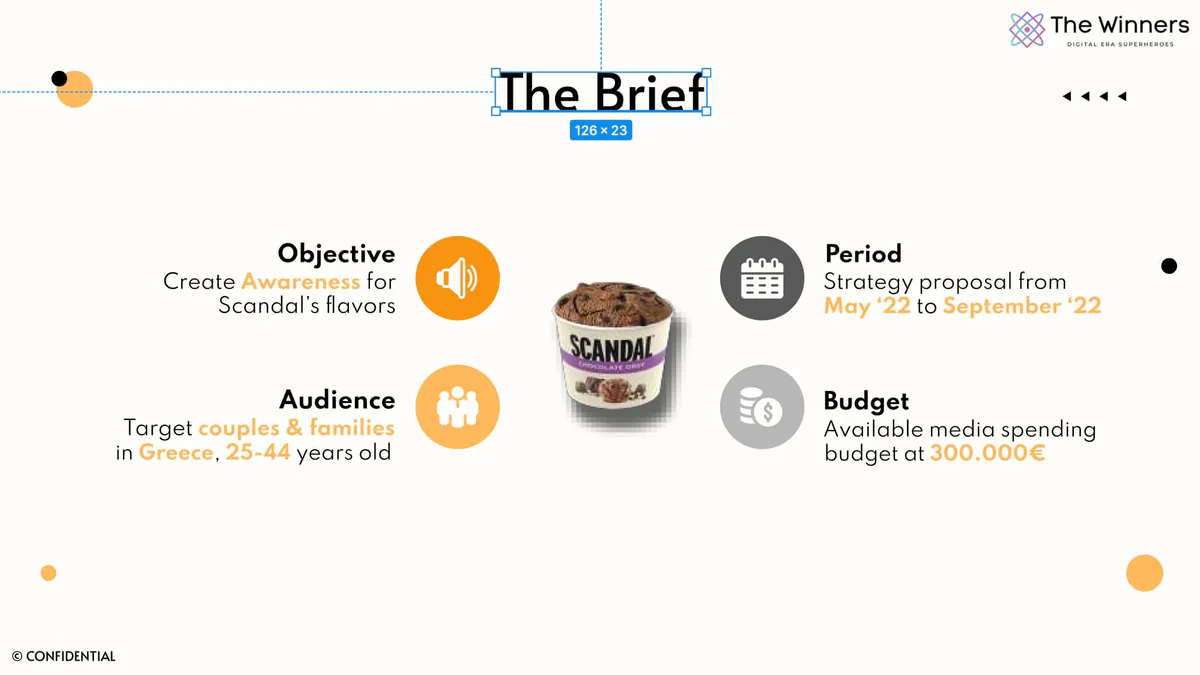
Seamless Figma Integration
Enhance your design workflow with the Codia AI PDF to Figma plugin. Efficiently import multi-page PDFs organized into separate frames for each page. This seamless integration not only saves time but also simplifies the process of transforming your old PDFs into modern Figma designs.
Learn more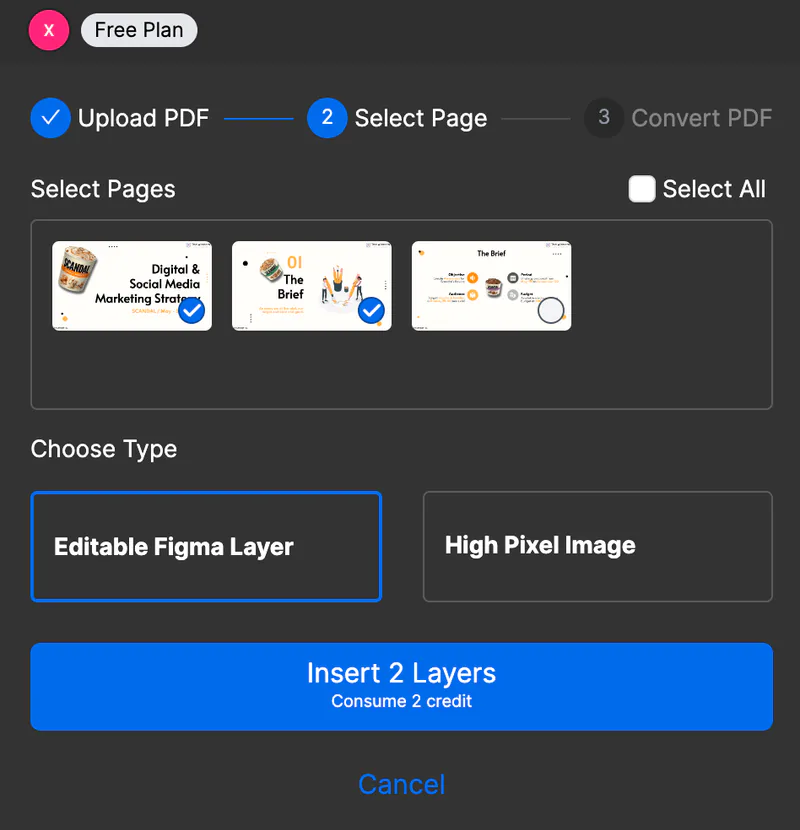
Robust Privacy Protection
Your privacy is our top priority. Codia AI employs cutting-edge security measures to ensure that your sensitive information is protected throughout the conversion process. Rest assured, your design conversions are secure and reliable.
Learn more
How It Works
Three simple steps to turn your PDFs into editable Figma designs.
Upload Your PDF
Simply drag and drop your PDF file into our converter or select it from your device.
Convert to Figma
Our advanced algorithm processes your PDF, converting all elements into editable Figma components.
Download & Edit
Download your converted Figma file and start editing immediately in Figma. All elements are fully customizable.
What Our Users Say
Join thousands of designers who trust Codia AI to streamline their PDF-to-Figma workflow.
“This tool has completely transformed my workflow. What used to take me hours of manual work now takes just minutes. The conversion quality is outstanding!”
Aveline Brooks
UI/UX Designer at DesignCraft
“As a product designer working with lots of documentation, PDF to Figma has been a game-changer. The layer organization is particularly impressive.”
Callum Sato
Product Designer at TechFlow
“I was skeptical at first, but the accuracy of the conversion blew me away. Text, images, and layouts are preserved perfectly. Highly recommended!”
Noa Serrano
Creative Director at Studio Eleven
Ready to Transform Your Design Workflow?
Join thousands of designers who are saving time and improving their productivity with our PDF to Figma converter.
No credit card required. Free plan available with basic features.
Pricing
Transparent pricing for every product. Start free, upgrade as you grow.